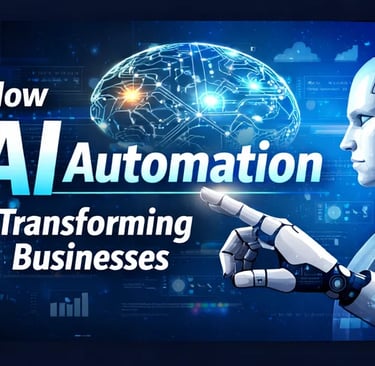
How AI automation is Transforming Businesses World wide (how to use it)
AI automation is changing the way businesses operate across the world—by reducing manual work, improving speed, and helping teams make smarter decisions. From customer support to marketing and accounting, companies are using automation to cut costs and increase revenue. Below are the key ways AI automation is transforming businesses worldwide and practical steps to start using it.
Sir Scott
7/18/20263 min read

What is AI Automation?
AI automation means using AI models (like chatbots, forecasting tools, and document processors) to handle tasks automatically—often combined with workflow tools (like automations, ticketing systems, and CRMs).
Simple example:
A customer asks a question on your website → AI chatbot answers → if it’s complex, it creates a support ticket → your team gets the ticket with the full summary.
1) Faster Customer Support (24/7 Help)
How businesses use it
AI chatbots answer FAQs
AI summarizes customer emails/messages
Smart routing sends tickets to the right department
Why it matters
Customers get faster responses
Companies reduce support costs
Human agents focus on complex issues
How to use it (beginner steps)
List your top 20 customer questions (from emails/FAQs).
Create “answers” and policies for each question.
Use a chatbot or helpdesk AI to respond and create tickets when needed.
Review weekly and update answers based on real questions.
2) Smarter Marketing and Personalized Offers
How businesses use it
AI helps generate ad copy and landing pages
AI segments customers based on behavior
Predicts what message works best for each audience
Why it matters
Better targeting → higher conversion rates
More content in less time
Less wasted ad spend
How to use it
Choose one channel (email, ads, social media).
Create 3–5 audience segments (new leads, warm leads, past customers).
Generate content for each segment (hooks, emails, ad variations).
Track results and keep improving weekly.
3) Automation for Sales and Lead Follow-Up
How businesses use it
AI helps find leads and enrich contact info
AI drafts outreach and follow-up emails
AI qualifies leads using website forms and chat data
Why it matters
Leads get contacted faster
More deals are won because follow-up is consistent
Sales teams save hours every week
How to use it
Capture leads using a landing page or form.
Set up an email sequence (welcome → value → offer).
Use AI to personalize first lines and summarize lead context.
Auto-schedule calls after key actions (like booking intent).
4) Document Processing and “No More Manual Admin”
How businesses use it
AI reads invoices, contracts, and receipts
Extracts key details (dates, amounts, names)
Automates approvals and accounting entry drafts
Why it matters
Less paperwork and data entry
Fewer errors
Faster processing cycles
How to use it
Identify 1–2 document types your team handles often (invoices, purchase orders).
Use an AI document tool to extract fields.
Send extracted data into spreadsheets/ERPs/CRMs.
Start with “draft outputs” and verify before fully automating.
5) Better Business Decisions with Forecasting and Insights
How businesses use it
AI predicts demand and inventory needs
Detects patterns in sales and customer behavior
Creates performance reports automatically
Why it matters
Decisions become faster and more data-driven
Companies react earlier to changes
Teams spend less time in manual reporting
How to use it
Choose one KPI (sales, churn, leads, conversion rate).
Gather data from existing tools (CRM, analytics, spreadsheets).
Use AI to generate weekly summaries + forecasts.
Turn insights into actions (campaign changes, pricing tests, retention strategies).
6) Workflow Automation Between Tools (The “Connected Business”)
How businesses use it
When one event happens, others trigger automatically
(e.g., “payment received” → “send onboarding email” → “create task”)
Why it matters
No repeated copy-paste work
Faster operations
Clean processes
How to use it
List your top repetitive workflow (example: onboarding).
Choose a workflow automation tool (e.g., Zapier/Make-like systems).
Connect your tools: forms → email → CRM → tasks.
Test with sample data before enabling fully.
How to Use AI Automation (Practical Starter Plan)
Here’s a simple roadmap you can follow.
Step 1: Choose one problem (don’t start with everything)
Pick a task that is:
repetitive
time-consuming
measurable (you can track time/cost before and after)
Examples:
customer replies
lead follow-up
invoice processing
weekly reporting
Step 2: Collect your “inputs”
AI automation improves when you provide examples:
past emails and FAQs
customer messages
product/service details
policies/terms
templates your team already uses
Step 3: Set up a workflow
Decide:
what starts the automation (a form submit, a ticket, a purchase)
what AI does
what happens next (reply, ticket created, CRM update, task assigned)
Step 4: Use human review at first
Start “AI drafts + human approves” to reduce mistakes.
Once accuracy is high, automate more steps.
Step 5: Measure results weekly
Track:
response time
number of resolved tickets
conversion rate changes
hours saved
customer satisfaction feedback
Best Use Cases for Small Businesses (Start Here)
If you’re just starting, these are high-impact:
AI chatbot for FAQ + ticket routing
AI-assisted email follow-up for leads
AI-generated marketing content (with your brand voice)
Document extraction for invoices/receipts
Automated onboarding emails and tasks
Common Mistakes to Avoid
Automating without knowing the workflow first
Using generic AI prompts without your business info
Not setting up tracking/metrics
Ignoring privacy and data handling (especially with customer information)
Automating everything at once (start small)
Innovat
Innovate boldly. Embrace the future with cutting-edge technology that propels your business forward.e
BELIEVE
Believe in the power of your ideas. With Vortex Digital Lab, we turn your visions into reality.
CREATE
Create impactful experiences that resonate. Our team is dedicated to crafting solutions that inspire.






Stay connected with Vortex Digital Lab
Join our community and be part of our journey as we transform ideas into reality!
Company
About Us
Services
Blog
Contact Us
Testimonials
Explore
FAQs
Feedback
Partnerships
Privacy Policy
Terms of Service
Offers
Digital Marketing
Web development
Video Editing
Social Media
Graphic Design
Copyright © 2024 Vortex Digital Lab, All rights reserved.
Vortex Digital Lab